
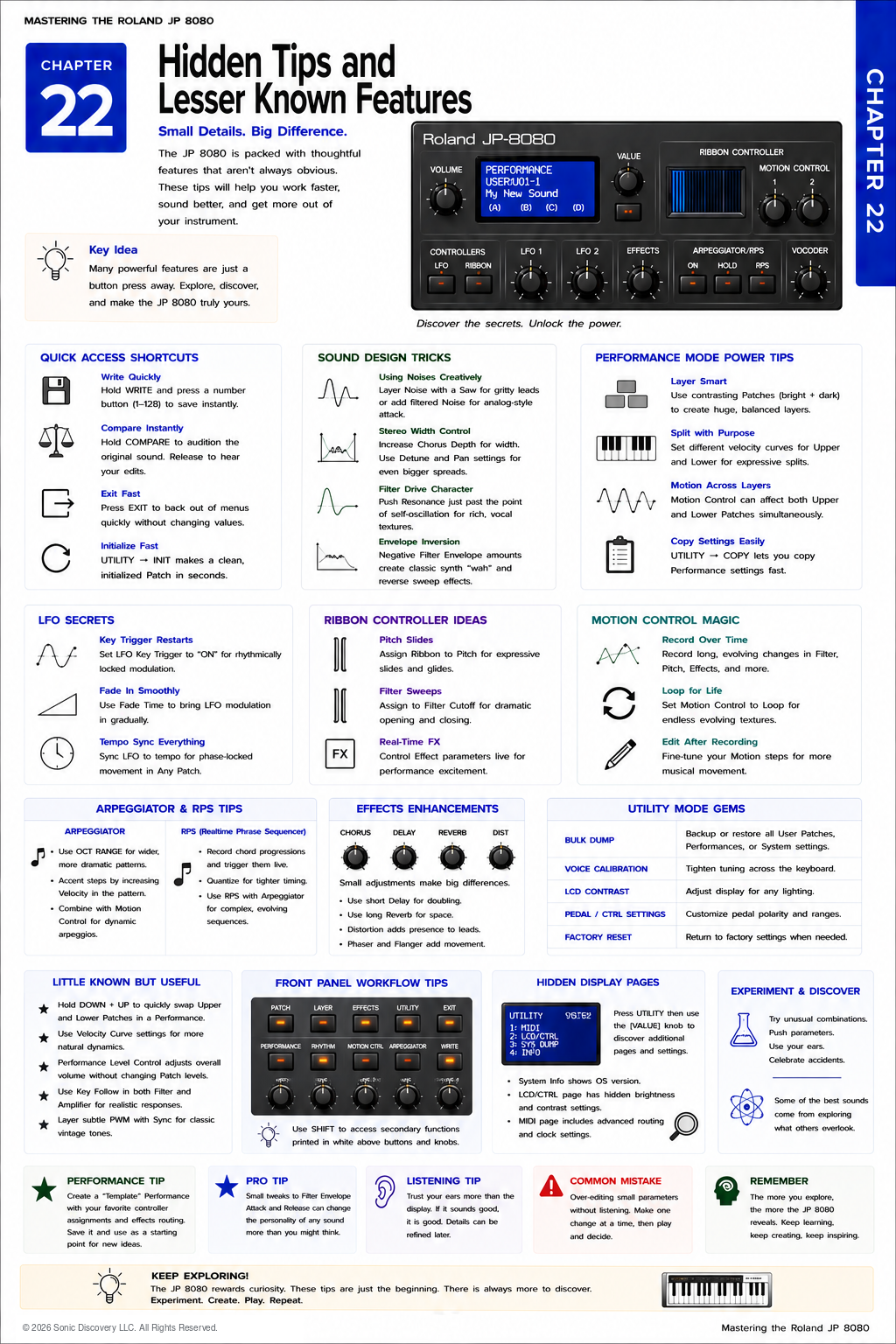
JP-8080 guide / Chapter 22
Hidden Tips and Lesser Known Features
Shortcuts, programming tricks, performance power tips, controller ideas, and utility gems.
Chapter 22
Mastery is often found in the details that most people overlook.
By now, you understand every major system inside the Roland JP-8080. You know how to program Patches, organize Performances, record Motion Control, use the Ribbon Controller, synchronize MIDI devices, and protect your work with SysEx backups.
This chapter is different.
Rather than introducing entirely new features, it focuses on practical techniques that experienced JP-8080 users discover after spending hundreds of hours with the instrument.
Most of these ideas are simple. Many require no additional programming. Yet together they can make the JP-8080 faster to use, easier to understand, and more expressive to perform.
Sometimes the smallest adjustment produces the biggest improvement.
Fifteen Practical Tips
Tip One: Design Without Effects First
One of the most common habits among experienced programmers is to postpone using Effects until the core Patch is complete.
If a sound only becomes interesting after adding Chorus, Delay, and Reverb, the foundation probably needs more work. A strong Patch should remain musically useful even with all Effects disabled.
Effects should enhance a sound, not rescue it.
Tip Two: Program at Normal Listening Levels
Programming at excessive volume can be misleading. Very loud sounds often appear brighter, fuller, and more exciting than they really are.
Program at moderate listening levels. Then briefly increase the volume to confirm that the Patch behaves as expected.
This approach produces sounds that translate better to different playback systems.
Tip Three: Use Less Resonance Than You Think
The JP-8080’s Filters are capable of expressive Resonance. However, many beginners immediately increase Resonance until it dominates the sound.
Increase Resonance slowly and stop just before it becomes distracting. Often the ideal setting is lower than expected.
Moderate Resonance usually sits better in a musical mix.
Tip Four: Save Incremental Versions
Do not overwrite successful work immediately. Instead of saving only Dream Pad, create versions such as Dream Pad 01, Dream Pad 02, and Dream Pad 03.
If a new experiment fails, the previous version remains available. Professional sound designers rarely depend upon only one version of an important Patch.
Tip Five: Compare Frequently
After making several programming changes, temporarily reload the original version.
Ask yourself whether the new version actually improved or whether it is simply different. Frequent comparisons prevent unnecessary editing.
Tip Six: Learn One Section at a Time
Avoid trying to master every control simultaneously. Spend one evening exploring only the Oscillators, another session exploring only the Filters, and then focus on the Envelopes.
Focused practice develops deeper understanding than changing every parameter at once.
Tip Seven: Let Motion Control Breathe
Motion Control becomes more musical when programmed gradually. Instead of recording dramatic movements across the entire control range, make slower, smaller gestures.
Subtle Motion Control recordings often sound more organic and less repetitive. Think like a string section gradually changing expression rather than a machine making abrupt adjustments.
Tip Eight: Use the Ribbon Musically
Many players immediately assign the Ribbon Controller to dramatic Filter sweeps. While exciting, that is only one possibility.
Try assigning the Ribbon to:
- Slight Filter movement
- Gentle Pitch Bend
- Effect depth
- Stereo position
Smaller assignments often produce more expressive performances.
Tip Nine: Listen with Your Eyes Closed
One of the best programming exercises requires no editing at all. Play a Patch, close your eyes, and ask whether the sound matches the musical idea you imagined.
Removing visual distractions encourages more objective listening. The ears should guide programming decisions, not the display.
Tip Ten: Explore Velocity
Velocity is frequently underused. Instead of making every note identical, allow playing dynamics to influence the sound.
- Harder playing opens the Filter.
- Soft playing produces darker tones.
- Velocity changes Amplifier Level.
- Velocity influences Envelope depth.
Dynamic response makes a Patch feel alive.
Tip Eleven: Experiment with Keyboard Range
A Patch may behave very differently in different octaves. Always test low notes, the middle register, and high notes.
Some sounds that seem ordinary in one register become exceptional in another.
Tip Twelve: Build Performance Templates
Instead of creating every Performance from scratch, develop several templates.
| Template | Starting structure | Purpose |
|---|---|---|
| Layer Template | Pad plus Lead | A full, blended Performance |
| Split Template | Bass plus Lead | Separate sounds across the keyboard |
| Ambient Template | Strings plus Motion Control | Slow, evolving textures |
| Live Solo Template | Lead with Ribbon assignments | Expressive stage control |
Templates accelerate programming while maintaining consistency.
Tip Thirteen: Organize Before You Need To
A well organized memory saves time. Group similar sounds together.
| Memory range | Sound category |
|---|---|
| Banks 1 through 16 | Basses |
| Banks 17 through 32 | Leads |
| Banks 33 through 48 | Pads |
| Banks 49 through 64 | Special Effects |
Good organization becomes increasingly valuable as your sound library grows.
Tip Fourteen: Learn from Factory Sounds
The factory library is more than a collection of presets. Every factory Patch demonstrates at least one useful programming concept.
Rather than asking, “Is this a sound I will use?” ask, “What programming idea can I learn from it?”
This mindset transforms every preset into a lesson.
Tip Fifteen: Trust Your Ears More Than Numbers
Many beginning programmers become focused on parameter values such as Cutoff 72, Resonance 18, or LFO 34.
Experienced programmers think differently. They ask whether the sound communicates the musical idea.
The exact numbers matter far less than the result. Programming is ultimately an artistic process guided by listening.
Hidden Workflow Trick
Whenever programming begins to feel frustrating:
- Save the current version.
- Take a short break.
- Return with fresh ears.
Many experienced programmers solve difficult sound design problems within minutes after returning because their hearing has reset. Fresh listening is one of the most valuable tools available.
Listen for It
- Choose one of your favorite Patches and play it for several minutes.
- Reduce one parameter by only five percent and listen carefully.
- Increase it by five percent.
- Notice how such a small adjustment can subtly change the character of the sound.
Many professional quality Patches are refined through dozens of small improvements rather than one dramatic change.
Try It
- Choose an existing User Patch.
- Disable all Effects.
- Improve only the Oscillator and Filter.
- Reintroduce one Effect.
- Compare the result.
- Save the new version under a different name.
- Repeat using a different Effect.
This exercise teaches you to separate sound design from sound enhancement.
Common Mistake
Programming continuously without saving intermediate versions can erase an earlier success. If an experiment goes in the wrong direction, it may be impossible to remember the exact settings that created the earlier sound.
Saving incremental versions provides the freedom to experiment without fear.
Pro Tip
Create a Favorites notebook. Whenever you discover a useful Filter setting, an interesting LFO assignment, a Motion Control technique, a Ribbon assignment, or a unique Performance structure, write it down.
Over time, these notes become your personal programming reference, tailored to your own musical style.
Behind the Scenes
Why do experienced programmers improve so quickly?
The difference is rarely natural talent. It is observation.
Advanced programmers constantly analyze what they hear, compare versions, take notes, and refine their work through many small decisions. They do not rely on luck or random experimentation.
Roland designed the JP-8080 with immediate hands on access to nearly every important synthesis parameter. This encourages exploration, but the most successful users balance curiosity with discipline. They experiment freely while listening carefully and documenting successful discoveries.
Mastery develops gradually through consistent observation rather than dramatic breakthroughs.
Creative Challenges
Challenge One: One Knob
Choose one control, such as Filter Cutoff. Spend fifteen minutes adjusting only that parameter while playing the keyboard. Discover how much expression can come from a single control.
Challenge Two: Three Versions
Create three variations of the same Patch: one bright, one warm, and one aggressive.
Notice how relatively small programming changes create three distinctly different musical personalities.
Challenge Three: No Display
Without looking at the display, adjust the controls by ear. Trust your listening rather than the numbers.
This exercise develops confidence and improves your connection with the instrument.
Challenge Four: Performance Refinement
Load one of your favorite Performances and change only one element. Possible choices include the Upper Patch, Lower Patch, Layer balance, Ribbon assignment, or Motion Control recording.
Save it under a new name and compare it with the original. This teaches thoughtful refinement instead of complete redesign.
Chapter Summary
- Build strong sounds before adding Effects.
- Save incremental versions of important Patches.
- Compare new edits with previous versions frequently.
- Use subtle Motion Control and Ribbon assignments for greater musicality.
- Test every Patch across the full keyboard.
- Organize User memory before it becomes crowded.
- Study factory sounds as programming lessons.
- Trust your ears more than parameter values.
- Keep written notes of successful discoveries.
- Mastery comes from many small improvements accumulated over time.